





Copy, Decrypt and Burn Digital/Physical DVD for Backup
 TL;DR
TL;DR
The post reviews different free solution to copy DVD and provides some useful tips for choosing the right fit and high-quality DVD cloning. To save minutes of skimming pages, here’s some top choice for you to back up some treasured discs content effectively.
1:1 Lossless Cloning & Decryption: VideoByte DVD Copy
Windows-only backup DVD to ISO: WinX DVD Copy Pro
Best free DVD copy software: BurnAware Free (Can’t bypass DVD protections)
Almost all commercial DVDs are protected by DVD region codes or other encryption methods. For better saving from scratching or losing, you can copy them to a computer or another disc. We will introduce the 8 best free DVD copy software options to help you to unlock the protected DVDs and easily finish a high-quality cloning process.
*Note that DVD copying is only for personal use, not commercial distribution.
 How We Test
We installed and tested these tools on Windows 11 or macOS Tahoe 26, and a physical ASUS external drive. We have compared and analyzed performance of each tool, including decryption success rates, copying speeds, format outputs, etc., using an old commercial disc (The Matrix, 1999) and a home-made DVD.
In a hurry? Let’s cut to the chase—See the Feature Comparison Table below to get an answer-first look at 8 DVD copying software and quickly pick a preferred one. Simply click on the target product name to jump to its detailed review!
| Software | Bypass Protections | Output format | Speed (a 4.7 GB DVD) | Other Features | OS | Rating |
|---|---|---|---|---|---|---|
| VideoByte DVD Copy | APS, CSS, ARccOS, CPRM, AACS, BD+, Cinavia and Region Codes | DVD-5, DVD-9, ISO image files or VIDEO_TS folder | 10mins37sec | Customize contents, subtitles & audio tracks, preview, burn DVD Folder/ISO to DVD | Windows 11/10/8.1/8/7/XP, Mac OS X 10.11 or higher | Rating by Trustpilot: 4.1/5 |
| DVDFab DVD Copy | CSS, APS, RC, and DADC | Blank discs, ISO files, or folders. | 12mins15sec | 6 copy modes, remove Cinavia protection | Windows 11 / 10 (64-bit), macOS 12 or newer | Rating by Softpedia: 4.0/5 |
| WinX DVD Copy Pro | Region Code 1-6, CSS, etc. | DVD/ISO/MPEG2 | 13mins47sec | 9 copy modes, | Windows 11/10/8/7 | Rating by updatestar.com: 4/5 |
| Wondershare DVD Creator | ❌️ | ISO file or DVD folder | 15mins18sec | ❌️ | Windows 10/8/7/Vista/XP | Rating by Trustpilot: 2.8/5 |
| Ashampoo Burning Studio Free | ❌️ (Copying unprotected disc) | ASHDISC, ISO and CUE/BIN | 20min | Create covers with a special utility. | Windows 11, 10, 8, and 7 (32- and 64-bit) | Rating by Microsoft: 2.8/5 |
| Free AVS Disc Creator | ❌️ (Only supports home-made discs) | ISO | 15 minutes | ❌️ | Windows 11, 10, 8, 7, Vista, XP | Rating by Dealarious.com: 3.6/5 |
| DVD Cloner | CSS, region codes, and RC | MKV/ISO file | 12mins36sec | 6 copy modes, 4K copying | Windows 7/10 | Rating by Trustpilot: 3.2/5 |
| BurnAware Free | ❌️ | All disc types and ISO images | 13mins29sec | Recover data, disc spanning | Windows 11/10/8/7/Vista | Rating by TechRadar: 4.0/5 |
Brief Summary: It stands out for its professional-grade 1:1 lossless DVD backups, featuring robust decryption and hardware acceleration.
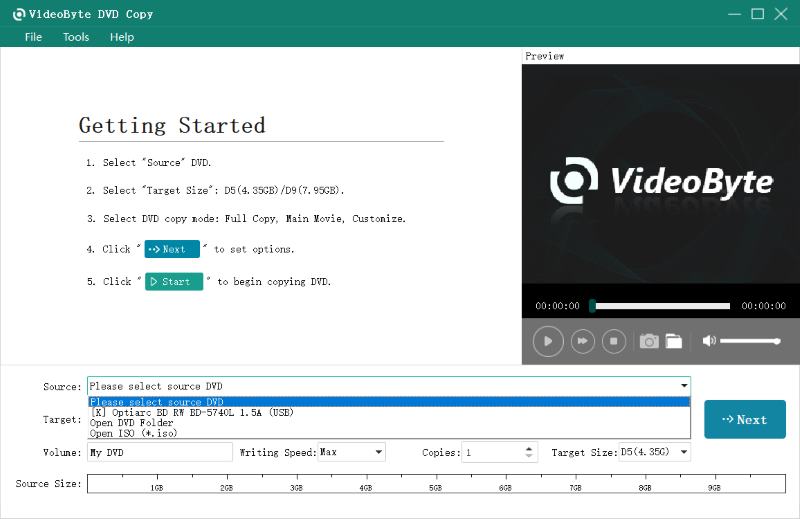
VideoByte DVD Copy is a reliable and free DVD copier to copy a DVD on a Mac and Windows, offering professional DVD copying functionality. It is capable of maintaining a lossless cloning process at a 1:1 ratio without any compression, ensuring optimal playback quality later on. The program is equipped with a powerful decoding function to unlock DVD region codes and other protection methods. It offers a free trial to help users copy protected DVDs for free.
Among so many choices, VideoByte DVD Copy can be the most ideal option if you are seeking a high-quality and professional way to copy commercial DVDs without quality loss.
• Offer 3 modes to copy DVDs partially or comprehensively.
• Copy a DVD-5, DVD-9 to another blank DVD or an ISO file, or a VIDEO_TS folder.
• Compress or upscale DVDs to meet requirements, balancing file size and output quality.
• Speed up the DVD copying to 2X faster with hardware acceleration.
• Previewing mode is offered to avoid setup errors, guaranteeing the best output effects.
 Pros
Pros
 Cons
Cons
See Full Steps on How to Copy a DVD with VideoByte DVD Copy
Step 1. Load the source DVD or ISO file.
Step 2. Choose the output format and select a mode.
• Full Copy: Copy the whole DVD disc.
• Main Movie: Copy the main movie only.
• Customize: Choose the parts of the DVD you like to copy.
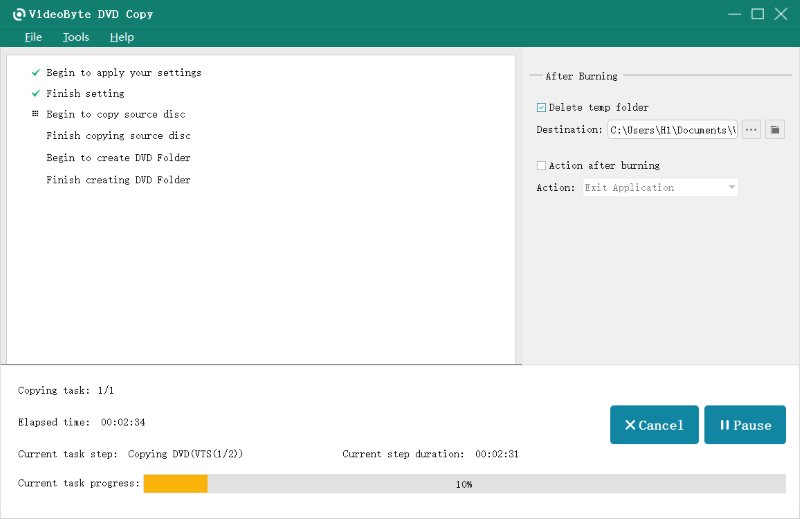
Step 3. Once done adjusting, click Start to begin.
User Review
Overall, VideoByte DVD Copy is one of user-friendly and robust disc copiers for me. I have successfully cloned my old disc movie to a new disc with its intuitive function settings. It would let you to choose information about the disc, like titles, chapters, audio tracks, subtitles, and more. Of course, all kept, for a lossless watching experience! As sravani s commented, “It can easily remove CSS protection and region codes, allowing you to make backup copies after every DVD.” (from G2)
For a detailed tutorial guide, check this post to manipulate VideoByte DVD Copy to back up DVD discs effortlessly: How to Copy DVDs on Windows 10.
Brief Summary: It shines by effortlessly decrypting DVDs and Blu-rays for full-disc or main-movie backup modes.
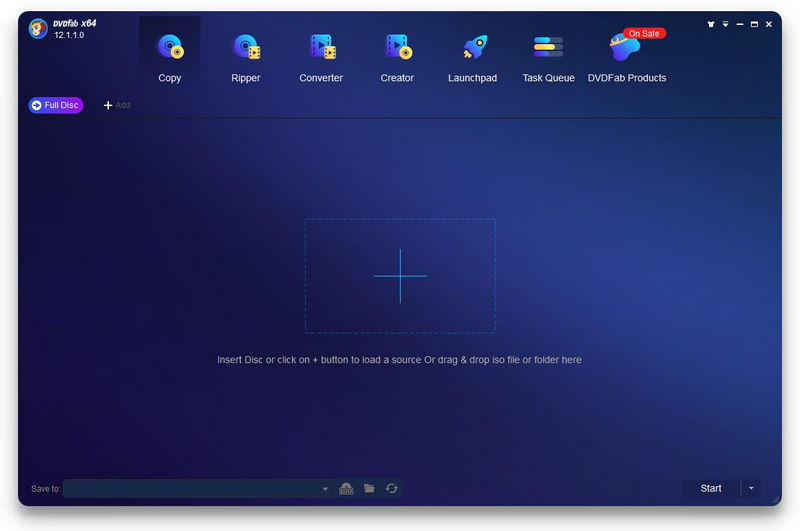
DVDFab Free HD Decrypter is also a free DVD copy software, providing a quick solution to convert DVDs and Blu-rays to disc or regular media files, allowing for a more flexible streaming experience later on. The program can handle a majority of DVD protections and provides free services, including multitasking features, optimal coping modes, and metadata preservation, to deliver high-quality DVD outputs.
To copy a protected DVD for free on Windows and Mac with advanced copying features, DVDFab Free HD Decrypt is undoubtedly a good option to consider.
• Supports copying DVDs in batches.
• Keeps high quality for copying the DVD videos.
• Danage to facilitate DVD copying at a quick speed.
• Combined with a DVD converter and creator inside one software.
• Downloads detailed information from the music database.
Pros
Cons
Test Experience
I’ve been trying the macOS version over the past few days to check if it worked as desired. It is a handy tool and time saver to batch-load and copy multiple DVDs. However, I found that it always crashes when processing large discs.
Brief Summary: WinX DVD Copy Pro excels in multiple copy modes, region decryption, and seamless ISO/DVD folder output.
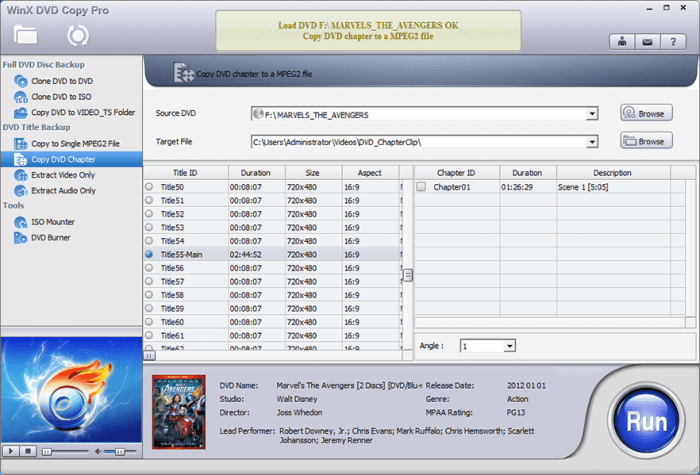
The next recommended free DVD copy software is WinX DVD Copy Pro. This software also ensures high compatibility, allowing you to copy DVD discs to disc and other formats, such as ISO, MPEG, and VIDEO_TS. Although the software is comparatively larger in size, it won’t require a high CPU usage while processing the DVD copying process.
WinX DVD Copy Pro is well compatible with encrypted DVD copying, making it a great option for removing DVD protections and backing up discs without restrictions. However, the program will limit the copying amount and time during the free trial period, and its ripping speed can be comparatively slow. For a more efficient WinX DVD Copy Pro alternative, you can consider other apps like VideoByte instead.
• Supports up to 9 copy modes.
• Allows copying regional DVDs or protected discs.
• Fixes broken discs by copying and backing up the DVD content.
• Copies DVD in original quality.
• Extra ISO mounter provided.
• Preservation of all menus and chapters for you.
Pros
Cons
User Review from Trustpilot
@Jennifer Nielsen: “They also followed up claiming the data from the dvd was not intact and that's why it wouldn't copy which is false as it plays just find everywhere else…”
@Géraldt Dov: “For my use, it turns out that you simply can't select several audio and subtitles tracks…The only workaround is to use one very specific mode (full DVD copy) that takes really long (20-40mn)”
Brief Summary: Wondershare DVD Creator impresses with drag-and-drop authoring, menu templates, and comprehensive editing features.
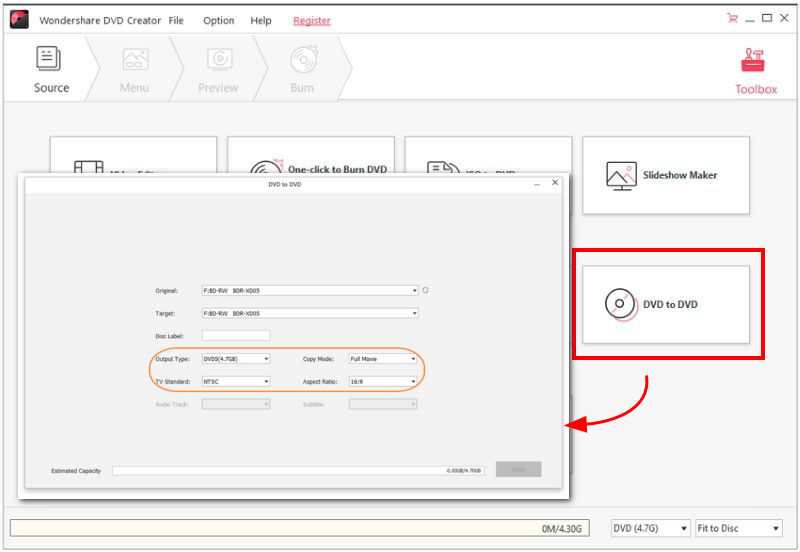
With free trying services provided, Wondershare DVD Creator is also a reliable free DVD copy software you are able to rely on to copy DVDs on desktops without hassle. This all-featured free DVD copy software is equipped with preset templates to let you quickly customize DVDs while generating copies. The program will maintain high quality at a 1:1 ratio and perform with accelerated speed to handle DVD copying for you at no cost.
However, Wondershare DVD Creator offers only very limited functions to its free trial users. To unlock full services, you still need to subscribe to its premium version.
• Provides powerful functions to copy, edit, and even rip DVDs
• Supports 150+ formats and all disc types.
• Available to customize chapters, audios, menus, and subtitles before processing the DVD copying.
• Provides DVD menus to easily edit a unique new DVD disc.
• Also compatible with Blu-ray discs copying and ripping.
• Encrypted DVD copying is supported.
Pros
Cons
Note: Wondershare DVD Creator works both on Windows and Mac, but the “DVD to DVD” function is only for Windows users (10/8/7/Vista/XP).
Brief Summary: It delivers reliable Windows disc burning, audio ripping, and image mounting. However, its outdated UI is somewhat off.
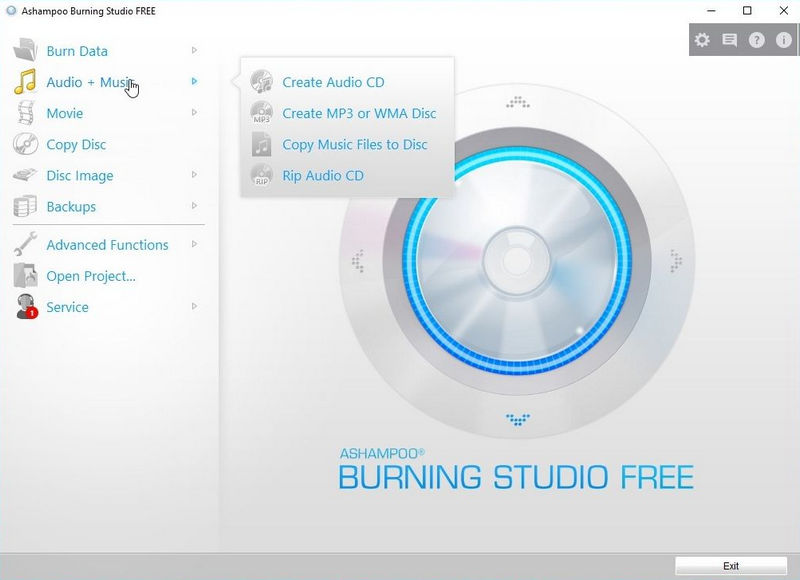
Ashampoo Burning Studio Free is also a great DVD copy software, available for free use. Despite the copying function, it also provides DVD burning and ripping services if you have such demands. It works smoothly on most Windows computers, which has been regarded as one of the best free DVD copy software for Windows 11/10/8/7.
More than just DVD copying, Ashampoo Burning Studio Free is also compatible with CD burning, allowing you to retain original effects and extract audio tracks without quality loss. Overall, this program can also be a reliable, free software for copying CDs and DVDs on Windows computers.
• Creates audio discs with covers.
• Uses passwords to protect copied DVDs.
• Supports copying of protected DVDs.
• Offers fast performance speed to complete DVD copying quickly for you.
Pros
Cons
User Review
Actually there are better products but as a free program, it is definitely a fully-featured disc utility, allowing you to create a modified copy of an CD, DVD or Blu-ray disc. But settings are very minimal and the habit of launching whenever a blank disk is inserted is a pain in the rear end.
Brief Summary: Its straightforward interface and essential authoring tools are rather wonderful, although it doesn’t support any system except Windows.
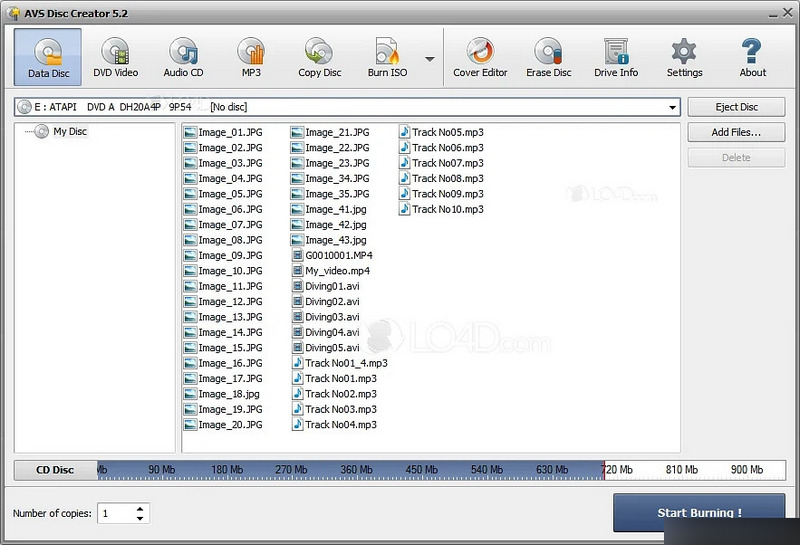
Don’t leave AVS Disc Creator behind when you're looking for a reliable free DVD copy software for Windows, which covers almost all Windows systems, including Windows 11/10/8.1/8/7/Vista, and XP. This software offers free use of the copying feature. Also equipped with an intuitive interface, it enables you to easily back up DVDs with just by very easy clicks.
Additionally, if you wish to preserve DVD videos as common media files, the in-app ripping functionality can also assist you. By using AVS Disc Creator, you gain more ways to copy DVDs without requiring much time or effort.
• Multiple types of disc copying are supported.
• Available to copy DVDs as common media files in mainstream formats.
• Customized settings to copy and rip DVD discs.
• Adjustable copying speed to select flexibly.
• Batch copy supported.
Pros
Cons
Expert Comment
Boris Weber, a professional tech editor at UpdateStar said that AVS Disc Creator is a solid choice for casual users with basic needs. Comparing to paid version, the free one lacks of high-end editing tools, and it lags and crashes from time to time.
Brief Summary: DVD Cloner provides fast Windows-only 1:1 DVD copying with adjustable compression and CSS decryption.
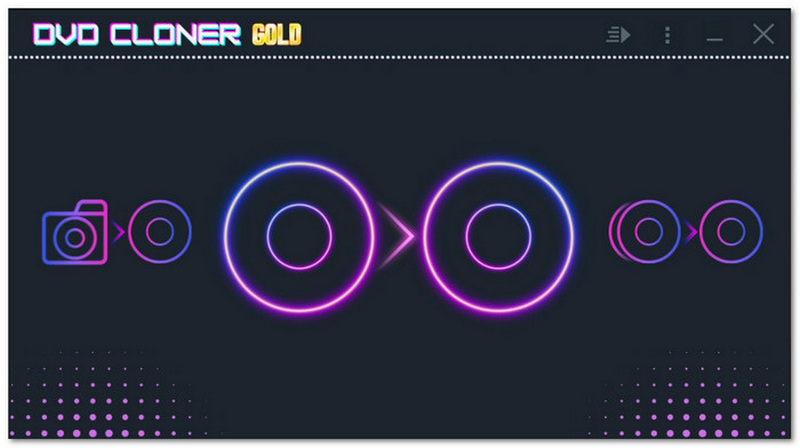
More than being a free DVD copy software, DVD Cloner also allows people to copy DVD and Blu-ray discs at original quality without loss. It supports MKV as the primary output format, which preserves lossless quality and is also a widely used format compatible with most devices and media players. Although it is a free DVD copy app for Windows 10, it also works smoothly on Windows 11 computers, providing a fast-copying speed so that users won’t waste much time waiting. It will help copy a DVD simply.
• Unlocks commercial DVDs and Blu-rays to copy them easily.
• Available to copy DVD discs to discs of different types, and also ISO, VIDEO_TS formats.
• Available to rip and export DVDs in MKV formats if you want to save the common media copies of your DVD discs.
• Provides easy operations to copy and write DVD, Blu-ray discs.
• Keeps 1:1 quality in copying DVDs.
Pros
Cons
Limitation
The interface isn't straightforward, making me dig it out for a long time. It lacks of advanced editing toolkit to custom your DVD, just copy the original content. To be honest, most DVDs it burns will be 'any region' DVDs and common DVD players are compatible with them, but there are a few out there that just will not play them. Besides, it’s confusing for new users to choose a right version from its websites – There have different DVD clone solution, like DVD-Cloner XR / XR Gold / XR Platinum.
Brief Summary: It is lightweight and features an intuitive interface, making it ideal for fast CD/DVD burning and ISO creation.
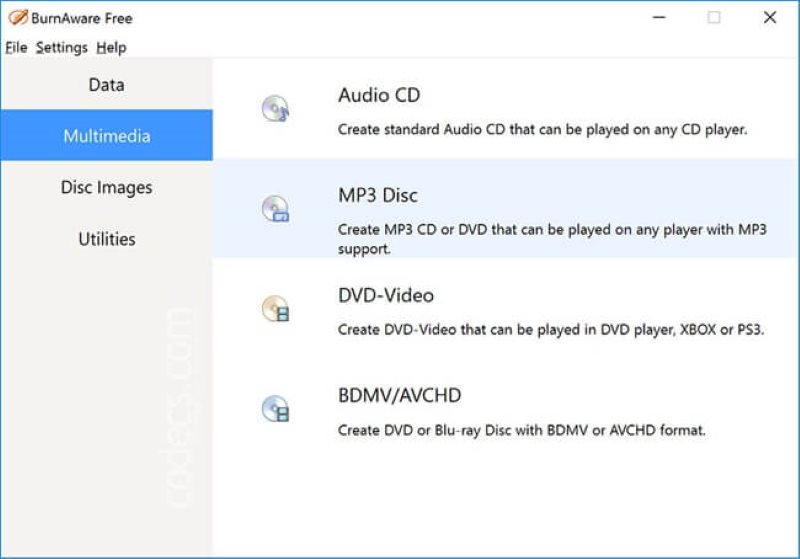
Let’s come to another free DVD copy software, BurnAware. This software combines both DVD burning and copying functions, enabling you to copy DVDs to ISO images as backups without hassle. Even though its service is delivered for free, you can still access its advanced options, such as taking full control of boot settings, importing sessions, writing audio tags, etc., while dealing with DVD copying.
Despite the disc-to-disc cloning, BurnAware is able to handle CD and Blu-ray copying for you, allowing you to obtain more disc media free from physical discs without hassle. However, as the software is only compatible with Windows desktops, you will need to use other free Mac DVD copy software as an alternative to BurnAware.
• Compatible with DVD, CD, and Blu-ray copying.
• Equipped with an extra burning feature.
• Available to copy DVDs to ISO images as well.
• Classic but intuitive interface for easily handling.
Pros
Cons
Author Note
The free edition doesn’t support direct "disc-to-disc" copying; you have to copy the disc to an ISO image on your hard drive, and then burn that ISO to a new disc.
Does Windows 11/10 have a DVD copier?
Unfortunately, not only Windows 11/10, but also many other Windows or Mac desktops, do not provide a built-in free DVD copy software. Therefore, to copy DVD or Blu-ray discs, people need to find another software or tool to help, such as VideoByte DVD Copy.
How to choose DVD copy software?
As the blog has introduced the 10 best free DVD copy software options on the market today, you can move up to their comparison table and select the best option for yourself!
Will copying damage the physical DVD?
As the blog has introduced the 10 best free DVD copy software options on the market today, you can move up to their comparison table and select the best option for yourself!
Will copying DVDs affect the quality of the content?
This is base on the performance of the DVD copy software. If you use reliable software, the content quality will be kept as the original one. But if the DVD copy software is less powerful, the copied DVD may have slight compression, resulting in lower video quality during playback.
How long does it take to copy a DVD?
It would depend on the length of the DVD movies you are going to copy, as well as the performance of the free DVD copy software you select to use. With a reliable free DVD copy software, the process can be done at a quick speed. Take VideoByte DVD Copy, for example. It only takes a few minutes to copy a DVD longer than 1 hour.
In most cases, if you only have unprotected or homemade DVDs that need to be copied completely at no cost, free DVD copy software, such as HandBrake or MakeMKV, can provide great help in completing the copying. However, for commercial DVDs with region codes or other types of copy protections, you will need a more professional tool to bypass them in order to copy.
Under such a situation, software equipped with copy protection removal functions, like VideoByte DVD Copy, can be your priority to consider. As most of them will offer a free trial, you can get started on their functions freely without any charge. Now, install VideoByte and try it out!
Hot Articles



 English
  Korean
  Dutch
Dutch  Chinese
  Italian
  Spanish