





The Only Ripper to Support Both DVD & Blu-ray
VideoByte BD-DVD Ripper: The most reliable all-in-one solution for Windows users, offering unmatched decryption power to bypass any disc protection with lossless quality.
WonderFox DVD Ripper Pro: Offers unique encoding that delivers high-fidelity output disc files with minimal file size.
HandBrake: The best open-source choice to transcode unencrypted discs or home movies into highly customizable digital files for free.
While streaming media is thriving, there are still a number of users who enjoy purchasing DVDs or Blu-rays to enjoy the theatre-like movie streaming experience at home. However, when it comes to the DVD backup or copying requirements, many of you will feel aimless and don’t know how to process it.
A DVD decoder, a software that lets you read DVD discs, can help you. Therefore, this post is about the 6 best free DVD decoders you can trust to process DVD backup, ripping, or copying on Windows with easy manipulation. Now, let’s dive into it.
We test each DVD decoder software in a laboratory and in actual real-world playback scenarios. We use common commercial DVDs, Blu-ray discs, and ISO images to test their performance, with an emphasis on video quality, audio sync, subtitle rendering, hardware acceleration, and disc menus.
Most DVD discs are encoded in the MPEG-2 format. And most commercial DVDs are protected by CSS, Region Codes, ArccOS protection and more. If you want to watch Disney disc movies or digitize your collection for backup, a professional DVD decoder is essential. It removes playback restrictions and converts raw disc data into playable digital formats.
While older versions of Windows had native support, Windows 11/10/8 no longer includes a built-in DVD decoder in Windows Media Player. Purchased DVDs can’t be played on a PC without a DVD decoder that reads disc content. So, you can use some third-party DVD decoder software to do so.
| Best for | Users who want to rip DVD/Blu-ray discs with lossless quality and faster speed. |
| OS | Windows 11/10/8.1/8/7/XP, Mac OS X 10.11 or higher. |
| Rating | 4.3/5 from Trustpilot |
| Pros | • Easy manipulation for beginners. • Clear user interface. • Smooth and no-lag performance without occupying much CPU. • Fast decoding speed and 1:1 original quality. • 300+ output formats. • Responsive customer support. |
| Cons | • Only 5 minutes can be converted during the free trial period. |
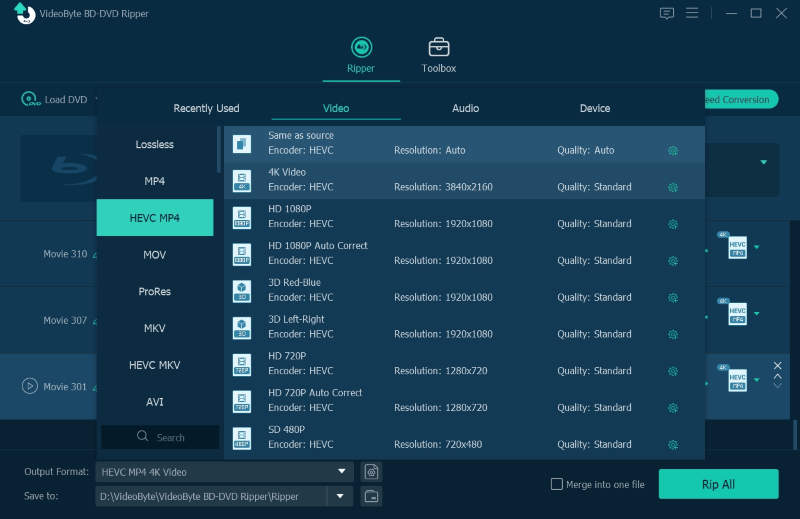
The top-ranking DVD decoder recommended by most users refers to VideoByte BD-DVD Ripper. The program offers powerful decoding ability to rip both homemade and commercial DVD as well as Blu-ray discs to 300+ formats with simple manipulation procedures. With the advanced techniques utilized, the program can run smoothly and stably on Windows without taking up high CPU and lagging performance. With more sub-features equipped and free trial provided, VideoByte BD-DVD Ripper provides professional experience to you.
 Features
How to use VideoByte BD-DVD Ripper?
Step 1. Insert your DVD disc into your PC, and click Load DVD > Load DVD Disc on the main interface of the ripper.
Step 2. Choose the preferred output format, like MP4.
Step 3. Click Rip All to rip the DVD. It takes only a while to complete the process.
 Tips
Tips
If you get an encrypted DVD or Blu-ray disc wishing to stream on computers without ripping, VideoByte Blu-ray Player can help to play the protected content without decoding it.
| Best for | one-click DVD digitizing to most all devices & formats. |
| OS | Windows 11/10/8/7 and lower. |
| Rating | 4.3/5 from Softonic |
| Pros | • Easy-to-use functions. • Smart compression method. • Decent output quality. • Encrypted DVDs supported. • Fast decoding speed. |
| Cons | • Free trial limitations existed. • Unable to decode Blu-rays. |
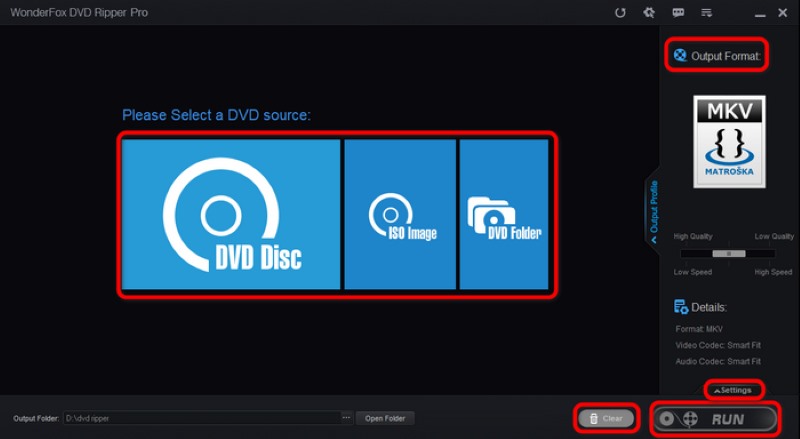
WonderFox DVD Ripper Pro provides a free trial version, allowing you to try the free DVD decoder without any charge, only on Windows. This DVD-oriented decoding program surely brings an effortless process and ideal lossless outputs with guaranteed decoding speed. Its straightforward user interface is also user-friendly for beginners to get started. Also, it can balance the compression ratio, file size, and output quality smartly, assisting you in getting nice outputs without sacrificing your device storage at all.
 Features
| Best for | Ripping unprotected DVDs to various formats in bulk. |
| OS | Windows 10 and later, macOS 10.13 and later, and Linux |
| Rating | 4/5 from Trustpilot |
| Pros | • Straightforward interface. • Entirely free of charge. • Detailed decoding settings. • Decent output quality. |
| Cons | • A long decoding process is required. • Lack of video editing features. • Unable to compress video sizes. • Limited formats for outputting DVD videos. |
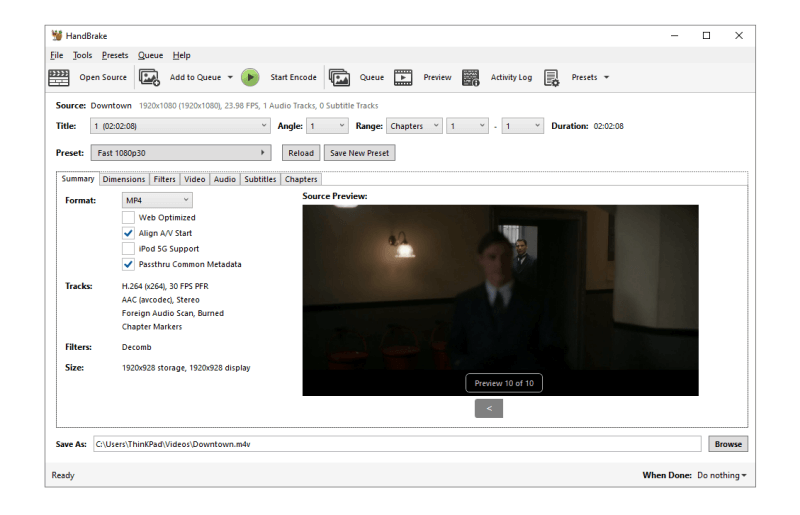
With more advanced personalized settings to determine the DVD outputs, the free DVD decided, Handbrake, also brings the convenient decoding method to assist you take full control of the DVD ripping process. Although it lacks the editing features for adjusting the video effects, its straightforward parameter settings panel allows you to personalize the output files in detailed quality settings in preferences, making the DVD videos suitable for streaming on any device with perfect compatibility.
Features
| Best for | Ripping unprotected DVDs to various formats in bulk. |
| OS | Windows 11/10/8.1/8/7 (64 bit), macOS 10.13-15.x |
| Rating | 3.7/5 from Trustpilot |
| Pros | • Original quality to decode DVD in MKV. • Easy-to-use functions. • Some encrypted discs are supported. • Blu-ray decoding supported. |
| Cons | • Only MKV as the output format. • Unable to accelerate the decoding process. • Very large file sizes. • Slow decoding speed. |
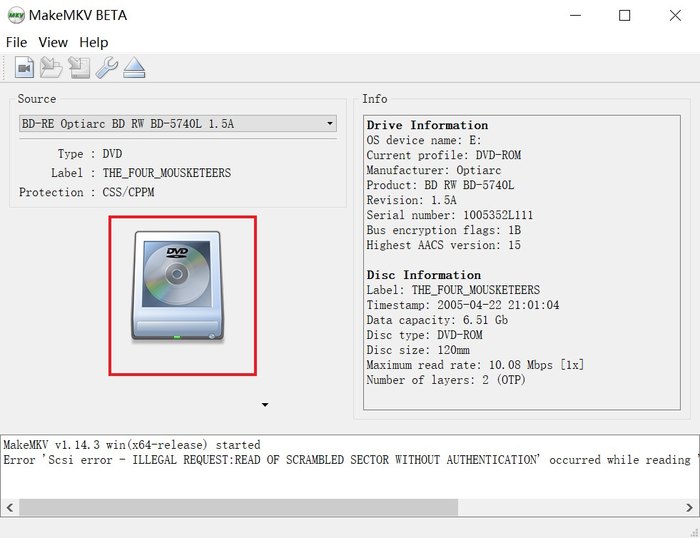
As a free DVD decoder, MakeMKV functions in the way better than we can imagine. The program can deal with commercial DVDs decoding, and retains lossless quality to assist you getting converted MKV videos without any image quality loss. Although this would result in the large file sizes of the videos, it greatly preserves the original quality and delivers you the best media streaming experience. The easy-using manipulation is also a highlight of MakeMKV – only one tap is required to decode DVDs with it!
Features
| Best for | rip DVD with tough encryptions to MP4, MKV, AVI, FLV, WMV, etc. |
| OS | Windows 11/10/8.1/8/7, macOS 10.13-26. |
| Rating | 3.3/5 from Trustpilot |
| Pros | • Accelerated decoding speed. • More popular output formats. • Encrypted discs supported. • Subtitles and audio detection. • Clear interface. |
| Cons | • Many advanced tools are not available for free. • Lack of Blu-ray compatibility. • Only 5-minute ripping available. |
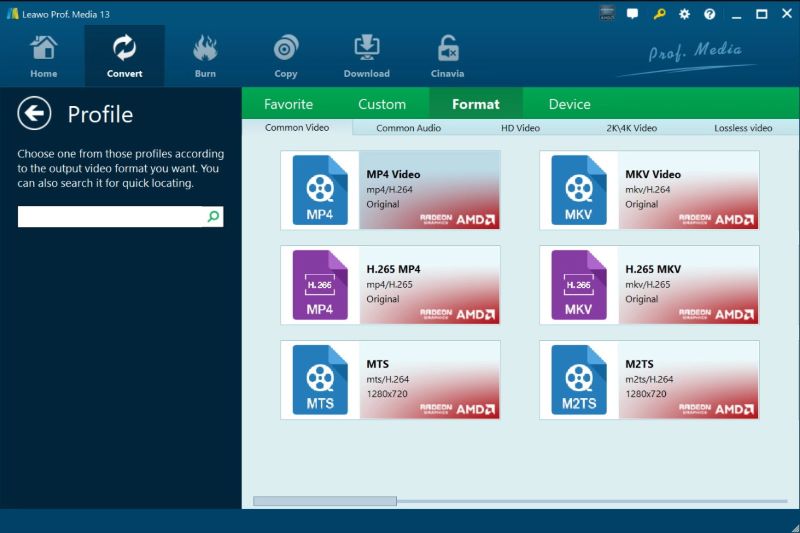
For users who wish a free DVD decoder to rip DVD clips without any charge, Leawo DVD Ripper has extracted some basic functions off its premium version to provide you the help with the free trial. Unlike many other free DVD decoders such as MakeMKV or VLC, Leawo DVD Ripper still utilized the acceleration techniques to ensure speedy performance in decoding DVDs. More than this, the program is well compatible with the most encrypted methods, assisting you to decode most types of DVDs within one platform conveniently.
Features
| Best for | Decoding DVD discs without any cost. |
| OS | Windows XP SP3 – 11, Mac OS X 10.7.5 or later. |
| Rating | 2.6/5 from Trustpilot |
| Pros | • All-in-one program with more functions. • Free DVD decoding service without any charge. • Easy-to-use manipulation to decode DVDs. • Cross-platform supported. |
| Cons | • Slow DVD decoding speed. • The decoded media quality is compressed. • No editing toolkit provided. |
Most of you would be familiar with the free media player, VLC. But to our surprises, this program works than how we can imagine – with the free DVD decoder provided inside!
As an open-source program, you won’t need to pay extra charge to access the DVD decoding feature. Simply by inserting the DVD to your computer and load the disc in VLC, it can help convert the disc to MP4 or other popular formats just by clicks. Although it is less efficient as VideoByte BD-DVD Ripper, and needs to take a bit long time to complete the DVD decoding, it is still an economical method appropriate for Windows XP/10/8/7 users to try.
Features
| Tool | Output Quality | DRM Removal | Rip DVD/Blu-ray disc | Output Formats | Processing Speed | Price |
|---|---|---|---|---|---|---|
| VideoByte BD-DVD Ripper | 1080p HD & 4K | APS, CSS, ARccOS, CPRM, AACS, BD+, Cinavia | DVD/Blu-ray | MP4, MKV, MOV, MP3, AAC, M4A, and 300+ | 6× | $69.95/Year Single License: $84.95 |
| WonderFox DVD Ripper Pro | 480p/ 720p/ 1080p/2K/4K/8K | CSS, CPRM, Multi-angle, RCE, Sony ARccOS, UOP, Disney X-Project DRM and Cinavia | DVD | M4V, WMV, AVI, MTS, M4V, etc. | Fast | Single License: $29.95/ Lifetime Family License: $69.95/ Lifetime |
| Leawo DVD Ripper | 720p/1080p/4K | DVD region restrictions | DVD | MP4, MKV, AVI, WMV, etc. | 6× | Basic Plan: $29.95/Year Professional Plan: $39.95/ Lifetime |
| MakeMKV | 720p | Strips protection without re-encoding | DVD/Blu-ray | MKV | Slow | Free |
| HandBrake | 480p/720p/1080p | Requires manual libdvdcss installation | DVD | MP4, .MKV and WebM | Slow | Free |
| VLC Media Player | 720p | Basic CSS bypass only | DVDs, Audio CDs, VCDs | MKV, WebM, WMV, etc. | Slow | Free |
A: You can choose a free DVD decoder to rip your discs, like VLC and HandBrake.
Step 1. Insert your DVD into an internal/external drive. Install the software on your computer.
Step 2. Select and load the disc and choose an output format like MP4.
Step 3. Push the start button to begin the ripping process.
A: VideoByte BD-DVD Ripper is the premier choice for modern DVDs because it integrates advanced decryption technology that effortlessly bypasses the latest protections like Disney 99-title, APS, and Sony ArccOS, which frequently cause open-source tools to fail.
A: Depends on. Often, it’s allowed to digitize discs for personal use. But some regions strictly prohibit bypassing DRM even for non-commercial purposes, so you should always check your country's specific copyright laws before proceeding.
Compared among these 6 best free DVD decoders, all of them would have both pros and cons existed. The real-free DVD decoders are normally taking pretty long decoding speed, and without any editing or video adjusting features provided. While for professional DVD decoders such as VideoByte BD-DVD Ripper, the ripping duration may be limited, but their output quality, efficiency, and full editing toolkit (especially VideoByte) will all be provided. Therefore, please determine your selection in preferences according to your own needs.
Hot Articles
by in 6 November, 2024
by in 1 November, 2024
by in 15 September, 2025



 English
  Korean
  Dutch
Dutch  Chinese (traditional)
  Italian
  Spanish